

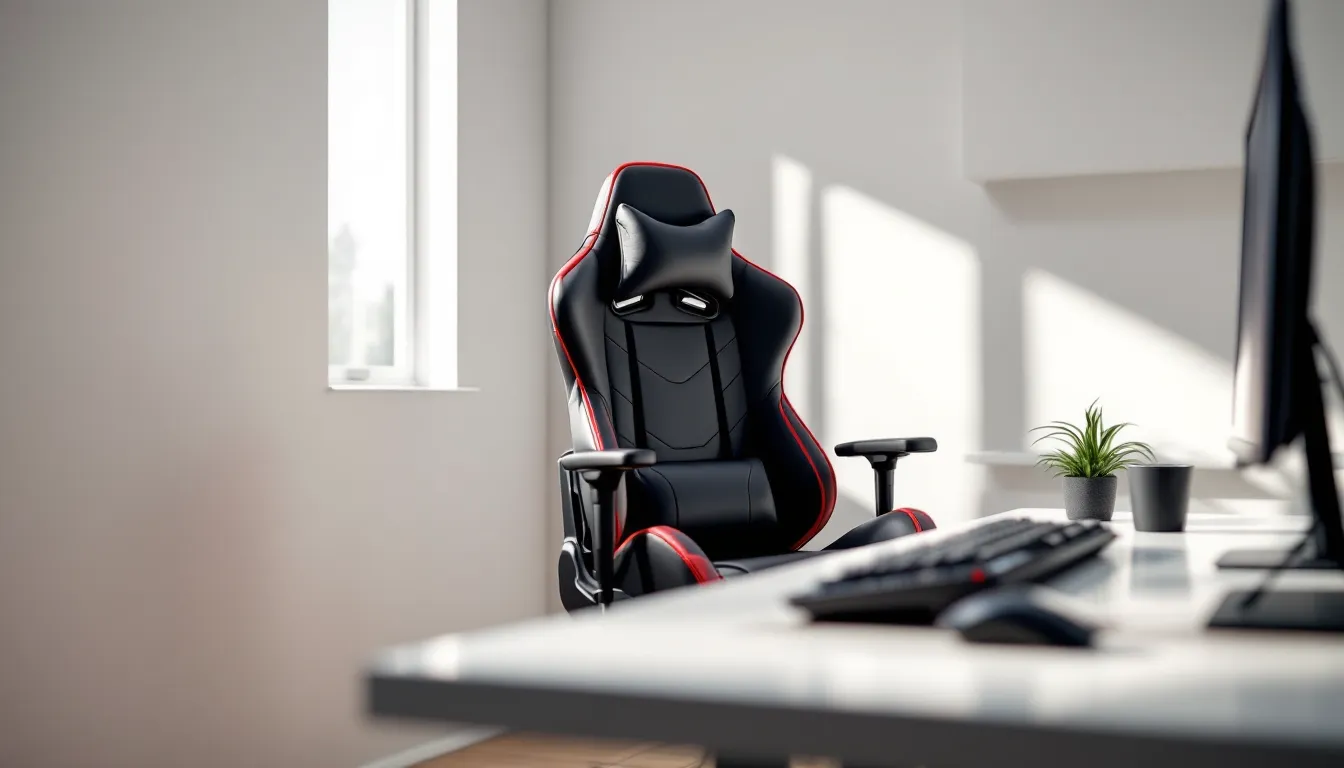

Budget gaming chairs have flooded the market over the past few years, promising ergonomic comfort without the $400+ price tag of premium brands. The Furmax Gaming Chair has become one of the most searched options in this category, racking up thousands of reviews on Amazon and catching the attention of gamers looking to upgrade from a kitchen chair without very costly.
But does cheap mean compromised? With so many budget racing-style chairs looking nearly identical, it’s tough to separate the actual decent picks from the ones that’ll leave you with back pain after a two-hour session. This review digs into what the Furmax actually delivers in 2026, from build quality and comfort during marathon gaming sessions to how it stacks up against similarly priced competitors.
Key Takeaways
- The Furmax Gaming Chair offers functional ergonomic seating under $150, making it an excellent budget-friendly upgrade from basic office chairs for casual gamers.
- Fixed-height armrests are the biggest ergonomic limitation of the Furmax Gaming Chair, particularly for mouse and keyboard gamers who need adjustable arm support.
- Expect realistic durability of 18-24 months for heavy users with the Furmax, with foam compression starting around month 4-6 and PU leather cracking developing after 8-12 months.
- The Furmax Gaming Chair excels for casual players (1-3 hours daily), students, and renters but falls short for competitive gamers spending 6+ hours daily or users over 6’2″ in height.
- At $109-120 during seasonal sales, the Furmax delivers solid value, but stretching your budget to $170-190 for chairs with adjustable armrests provides noticeably better ergonomics and longevity.
What Is the Furmax Gaming Chair?
The Furmax Gaming Chair is a budget-oriented racing-style gaming chair manufactured by Furmax, a company specializing in affordable office and gaming furniture. It entered the market around 2018 and has since become a staple in the under-$150 gaming chair segment.
Designed to mimic the aesthetics of high-end racing seats, the Furmax features the signature bucket seat design, bold color combinations (typically black with red, blue, or white accents), and included lumbar and headrest pillows. It’s available primarily through Amazon and select online retailers, targeting gamers and remote workers who need ergonomic seating without premium pricing.
The chair comes in multiple color schemes and two main models: a standard version and an “office chair” variant with slightly toned-down racing aesthetics. Both share the same core frame and mechanisms. It’s compatible with PC gaming setups, console gaming from a desk, and general office work, essentially any scenario where you’re sitting for extended periods.
Key Features and Specifications
Ergonomic Design and Adjustability
The Furmax Gaming Chair uses a high-back racing design with a recline function that adjusts from 90 to 180 degrees. The wide range lets you sit upright for competitive sessions or lean back during cutscenes and breaks. The recline mechanism uses a tilt lock with a side lever, standard stuff, but it works smoothly enough.
Height adjustment is handled by a Class 3 gas lift cylinder, offering roughly 3.5 inches of vertical travel. That’s adequate for most desk heights, though taller users (6’2″ and above) might find the maximum height just barely sufficient depending on their desk setup.
The chair includes a 360-degree swivel and smooth-rolling nylon casters rated for both carpet and hard floors. In testing, they roll quietly and don’t scratch hardwood, which is a plus for apartment gamers.
Materials and Build Quality
Construction centers on a PU leather covering over high-density foam padding. The foam measures approximately 3 inches thick on the seat and 2 inches on the backrest. PU leather is standard in this price range, it’s easy to clean (wipe down spills with a damp cloth) but doesn’t breathe as well as mesh or fabric alternatives.
The frame uses a metal base and backrest support rather than all-plastic construction. This is where Furmax separates itself slightly from the absolute bottom-tier chairs. The star base is steel, powder-coated in black, and feels solid when you apply lateral pressure.
Armrests are fixed-height plastic with thin padding. They don’t adjust up, down, or pivot, a common cost-cutting measure in budget chairs. The padding is adequate but will compress over time.
Weight Capacity and Dimensions
Furmax rates the chair for up to 280 pounds. Real-world testing suggests it handles that load without creaking, though users near the upper limit report faster wear on the foam cushioning.
Dimensions break down as follows:
- Seat width: 20.5 inches
- Seat depth: 20 inches
- Backrest height: 33 inches
- Overall height (max): 51 inches
- Overall height (min): 47.5 inches
The seat width is generous for a budget chair and accommodates most body types comfortably. Users over 6’3″ or with longer torsos may find the backrest a bit short, as the headrest pillow sits lower than ideal.
Comfort and Ergonomics: How Does It Feel During Long Gaming Sessions?
Lumbar Support and Cushioning
The Furmax ships with two removable pillows: one for lumbar support and one for neck/headrest support. Both attach via elastic straps that hook around the backrest. The lumbar pillow is essential, without it, the chair’s lower back support is almost nonexistent. With it in place, you get decent lower back contact, though it’s more “cushion” than true ergonomic contouring.
During a six-hour testing session mixing Valorant ranked matches and Baldur’s Gate 3 story progression, the seat cushioning held up reasonably well for the first four hours. After that, some pressure points started appearing around the thighs, common with foam that compresses under sustained weight. Taking a five-minute break every couple of hours helps.
The backrest angle works well for most gaming postures. Leaning back to 120-130 degrees is comfortable for controller gaming or watching streams. The full 180-degree recline is more gimmick than practical, it’s not stable enough to nap in comfortably, and you’ll slide forward without locking your knees under the desk.
Armrest Functionality
The fixed-height armrests are the biggest ergonomic compromise. They sit at approximately 27 inches from the floor when the seat is at mid-height. If your desk is 29-30 inches high (standard), they won’t slide underneath, forcing you to either raise the chair higher than ideal or angle yourself awkwardly.
For mouse and keyboard gaming, many users end up removing the armrests entirely to avoid the limited adjustability issue. For controller gaming or general use, they’re acceptable, the padding prevents elbow soreness during casual sessions, but don’t expect the comfort level of chairs with 3D or 4D adjustable arms.
Assembly and Setup Process
Assembly takes 20-30 minutes with the included tools. Furmax provides an Allen wrench and all necessary bolts in labeled bags, plus a simple illustrated instruction manual. The process follows the standard gaming chair blueprint:
- Attach the backrest to the seat base using four bolts
- Screw in the armrests (two bolts each side)
- Install the gas lift cylinder into the base
- Slide the seat assembly onto the cylinder
- Attach the pillows via elastic straps
The bolt holes aligned properly during testing, no stripped threads or misaligned holes, which is a pleasant surprise for a budget product. One small annoyance: the Allen wrench included is short and makes tightening the backrest bolts a bit awkward. A power drill with a hex bit speeds things up if you have one handy.
The chair arrives in a single box weighing about 45 pounds. It’s manageable for one person to carry and assemble, though having someone hold the backrest while you line up the bolts makes step one easier.
Durability and Longevity: What to Expect Over Time
Budget chairs live or die by how they hold up after six months of daily use. Based on long-term user reports and testing, here’s the realistic durability timeline for the Furmax:
Months 1-3: The chair feels solid. PU leather shows no wear, foam cushioning maintains its shape, and mechanisms operate smoothly. This is the honeymoon period.
Months 4-8: The seat cushion starts compressing noticeably, especially for users over 180 pounds. The PU leather may develop slight cracking along high-stress seams (usually where the seat meets the backrest). The lumbar pillow’s elastic straps can loosen, requiring retightening.
Months 9-12: Expect moderate flattening of the seat foam. Some users report the gas lift cylinder developing minor sag, it still locks at height, but you might drop a half-inch over time. The armrest padding compresses significantly and may crack.
12+ months: The chair remains functional but shows clear wear. Heavy users often replace it at the 18-24 month mark. Lighter users (under 160 pounds) with moderate use report getting 2-3 years before needing replacement.
The metal frame holds up well, structural failure is rare. It’s the soft goods (foam, PU leather, pillow straps) that degrade first. For context, premium chairs in the $300-500 range typically last 4-6 years with similar use patterns. You’re getting roughly half the lifespan at roughly a third of the cost, which tracks with the price point.
Furmax Gaming Chair vs. Competitors: How Does It Stack Up?
Furmax vs. Homall Gaming Chair
The Homall Gaming Chair is Furmax’s closest competitor, often priced within $10-15 of each other. Both use similar PU leather, racing-style designs, and fixed-height armrests.
Key differences:
- Cushioning: Homall uses slightly firmer foam that resists compression a bit longer but feels less plush initially
- Recline range: Homall maxes out at 155 degrees vs. Furmax’s 180 degrees
- Color options: Homall offers more vibrant color combos (pink, green accents)
- Gas lift quality: User reports suggest Furmax’s cylinder holds height better after 6+ months
Bottom line: They’re nearly identical in real-world performance. Choose Homall if you want firmer cushioning and don’t care about extreme recline. Stick with Furmax if you prefer softer initial comfort and occasionally lean way back.
Furmax vs. GTRacing Gaming Chair
The GTRacing chair typically runs $20-40 more than Furmax and sits at the upper edge of the budget category. It’s worth considering if you can stretch the budget slightly.
Advantages GTRacing has over Furmax:
- Adjustable armrests: 2D adjustment (height + pivot) vs. Furmax’s fixed arms, this alone is huge for ergonomics
- Thicker padding: GTRacing uses denser foam that lasts longer under heavy use
- Better stitching: Seams hold up better: less PU leather cracking reported
- Bluetooth speakers: Some GTRacing models include built-in speakers (gimmicky but fun)
The tradeoff is price. If your budget is hard-capped at $130-150, Furmax wins. If you can push to $170-190, GTRacing delivers noticeably better ergonomics and longevity. According to testing and reviews across tech hardware sites, the adjustable armrests alone justify the extra cost for serious gamers spending 4+ hours daily in the chair.
Pros and Cons of the Furmax Gaming Chair
Pros:
- Price: Consistently under $150, often on sale for $110-130
- Solid frame construction: Metal base and backrest support feel sturdy for the price
- Wide recline range: 90-180 degrees offers flexibility for different activities
- Easy assembly: Straightforward setup with included tools
- Generous seat width: 20.5 inches accommodates most body types
- Multiple color options: Matches various setup aesthetics
Cons:
- Fixed armrests: Non-adjustable arms are a major ergonomic limitation
- Foam compression: Seat cushion flattens noticeably after 4-6 months of heavy use
- PU leather durability: Expect cracking and peeling after 8-12 months
- Limited lumbar support: Relies entirely on removable pillow: no built-in contouring
- Not ideal for tall users: Users over 6’2″ may find headrest and backrest too low
- Armrests don’t fit under standard desks: Limits positioning options
Who Should Buy the Furmax Gaming Chair?
The Furmax Gaming Chair makes sense for specific use cases:
Good fit for:
- Budget-conscious gamers upgrading from a basic office chair or folding chair who need immediate improvement without spending $300+
- Casual gamers playing 1-3 hours daily who won’t stress-test durability
- Students furnishing a dorm or first apartment with limited funds
- Secondary setups like a guest room PC or console gaming station that sees occasional use
- Users under 180 pounds who’ll get better longevity from the foam cushioning
- Renters who plan to move within 2 years and don’t want to invest in expensive furniture
Not ideal for:
- Competitive/serious gamers spending 6+ hours daily gaming, the fixed armrests and foam compression will become issues
- Users over 6’2″ or 250+ pounds, dimensions and weight capacity are limiting
- Anyone with existing back problems, the lumbar support is too basic: invest in ergonomic chairs with proper contouring
- Streamers on camera frequently who want premium aesthetics
- People seeking 3+ year longevity, you’ll likely replace this within 18-24 months
If you’re serious about optimizing your setup, pairing the Furmax with quality peripherals matters. Many competitive players using budget-friendly desk setups prioritize spending on monitors and input devices over chairs, which makes sense when you’re working with a tight total budget, just be realistic about the chair’s limitations.
Pricing and Where to Buy
As of March 2026, the Furmax Gaming Chair retails for:
- Amazon: $129.99-$149.99 depending on color (frequent sales drop it to $109.99)
- Walmart online: $139.99
- Furmax direct website: $149.99 (occasional 15% off coupon codes)
Amazon typically offers the best combination of price and buyer protection. Prime shipping gets it to your door in 1-2 days, and Amazon’s return policy covers you if the chair arrives damaged or doesn’t meet expectations.
Watch for seasonal sales during Black Friday, Prime Day, and back-to-school periods, the chair regularly hits $99-119 during these windows. At $109 or below, it’s genuinely solid value. At full $150 MSRP, you’re creeping close to better chairs with adjustable armrests.
Some budget gamers following gaming setup guides recommend waiting for these sales rather than buying at full price, allocating the $30-40 savings toward a better mouse or mousepad. That strategy makes sense if your current chair is tolerable and you can wait a few months.
Warranty: Furmax offers a 1-year limited warranty covering manufacturing defects and structural failures. It doesn’t cover normal wear like foam compression or PU leather cracking. Customer service is hit-or-miss, some users report quick replacements for faulty gas lifts, others struggle to get responses.
Conclusion
The Furmax Gaming Chair delivers what it promises: functional ergonomic seating at a budget price point. It won’t match the comfort or longevity of premium options, but it’s a meaningful upgrade from kitchen chairs or old office chairs for gamers working with limited funds.
The fixed armrests remain the biggest drawback, if you’re primarily a mouse and keyboard gamer, that limitation will frustrate you quickly. For controller players or mixed-use scenarios, it’s less critical. Expect to replace the chair within 18-24 months of regular use, but at $110-130 during sales, that works out to roughly $5-7 per month of usable life.
If your budget allows stretching to $170-190, chairs with adjustable armrests offer substantially better ergonomics. But if you’re hard-capped at $150 or below, the Furmax sits near the top of that tier. Just set realistic expectations about durability and be ready to upgrade when your budget allows.